Wednesday, July 8, 2009

Post 10


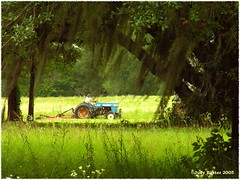
Using Flickr was easy and fun. Seeing all the pictures you could choose from. Getting it from Flickr to my blog was easier than I expected. I chose to do Georgia because we have to learn about it in 3rd grade S.S. Some other educational uses of Flickr would be: story telling, slideshows, presentations, where illustrations are needed, visual documentation, and to teach vocabulary.


Thing 9

Reading up on Creative Commons or CC, was very interersting. We need to keep all this in mind when we ask our students to download things for reports and or slideshows. I know music can make a slideshow more realistic but is it legal! We should teach our students the proper way to do this. I didn't know ccMixer existed. I will be more aware of this from now on, just by finding out myself.

Friday, July 3, 2009

Post 7

WIKI-WIKI! I like this site.After I learned what a wiki was, I enjoyed looking at all the different ones. This first one I chose was http://gowest.wikispaces.com this was very well organized and good content. They used visual maps. I liked the way the contents flowed together. The only thing I would do to improve is to provide more details at the beginning.

The second one was http://kcountingbook.wetpaint.com this was very well orgainzed and visual learning was good. I liked using different objects for each number. Sometimes kids get bored looking at the same thing. If I could improve one thing, it would be to add a caption below each picture.

The last one I chose was http://wiki.woodward.edu/hannalee/doku.php?id=hannalee this was a great job. The contents were great. Organization was great. I love the links explaining the historical background of the book and what the objects were.

There are numerous ways to use wiki in the classroom. In inclusion, my students do alot of timelines. Taking notes is awful. My students could go here and print off notes, so that no writing is done. Making vocabulary lists would be soo easy. Some others are catch up on missed work, FAQ on current units, virtual library and study guides.

Post 6

Diigo to me was very hard to understand and tagging was hard to figure out. But I made it. LOL
It was fun to find new things. I can use this professionaly by printing off things that they can use and to be able to get there quickly. I love to publish things for them and there is alot on there to do. My Diigo bookmarks link is: http://www.diigo.com/profile/dixiebeagle. I hope the rest of this class goes a lot smoother.

Post 5A

When I sat up my Google Reader, it made checking alot more easy. I can acutally check all my post at once. I love keeping up with my new friends on blogger. Also, finding new things I can use in my helping my inclusion children. Finding new things other people have tried and maybe incorporating them with my kids. People out there have the same problems I do, doing inclusion. I agree with the person who wrote about how regular education teachers need to take a course on how to deal with special ed. students.

Thursday, July 2, 2009

Wednesday, July 1, 2009

post 3

I read a blog entitled "An Admission". This is so true!! Our children today are "sharing" their families personal "stuff" with all their friends on the internet, examples such as Facebook, Myspace, and Twitter. Children who tell personal news sometimes tell too much. Parents should have complete control of what the kids are telling. When phones are used, we as parents, have a better chance of listening to their conversations.

The article asked the question, "What is a friend?" Parents and children have different definitions of this word. What if a "friend" disowns you and they use this information against you and the family?

I agree with the writer about this helping them get closer to their students. Alot of time, we get to know their families and homelife. Sometimes this is a good thing and sometimes a bad thing.
We,as educators, can get too "close". Yes, it helps us on why this child is not learning, or having a bad day, but sometimes it is best not to know.

http://www.techlearning.com/blogs/21290